
Downpipe hopper
downpipe-hopper
dresses asset:downpipe
— and nothing else. Appearance is invisible to the drawing set, so adding this changes no
plan, no section and no elevation.
Used in examplesNorthline Distribution Warehouse
- 8of 500 meshes
- 1slot
- 1finish
Drag to orbit · scroll to zoom
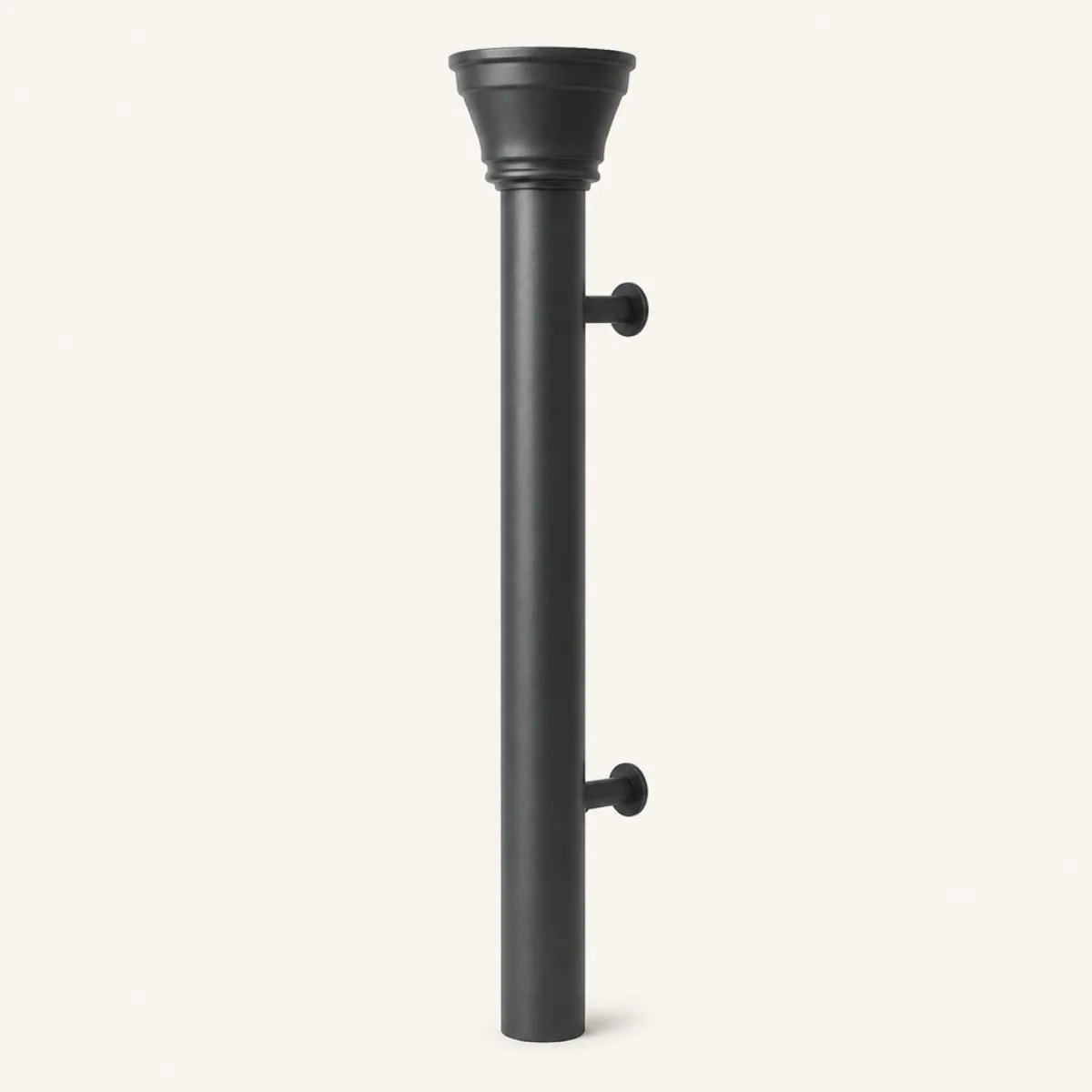
$hardware
This definition leaves
$hardware
open, and a look line fills them. Every combination is one body — same
geometry, same selector, same sheets — so the block below rewrites itself as you pick.
Only materials are slottable: a size would have to agree with the plan, so it stays on
the entity.
Generated views
The body and its drawing evidence
The deterministic renders check the body's footprint, structure and depth. Geometry, material and the selected finish stay unchanged.
Paste this
Every part: the 1 materialdef the body resolves to, then the definition. Copying the lookdef alone still compiles and still validates — it just renders grey.
{"t":"materialdef","id":"pal-steel-dark","of":"steel","value":20}
{"t":"lookdef","id":"downpipe-hopper","for":"asset:downpipe","desc":"Rainwater downpipe with a flared hopper and offset shoe.","slots":{"hardware":"pal-steel-dark"},"preview":{"projection":"perspective","azimuth":-30,"elevation":12,"fov":32,"margin":1.04},"body":{"type":"Group","children":[{"type":"Mesh","material":"$hardware","geometry":{"type":"CylinderGeometry","radiusTop":0.05,"radiusBottom":0.05,"height":2.72,"radialSegments":18},"position":[0,1.36,0]},{"type":"Mesh","material":"$hardware","geometry":{"type":"LatheGeometry","profile":[[0.05,2.68],[0.075,2.72],[0.1,2.78],[0.135,2.88],[0.135,2.98],[0.12,3],[0.1,3],[0.115,2.97],[0.115,2.89],[0.085,2.78],[0.05,2.71]],"segments":24}},{"type":"Mesh","material":"$hardware","geometry":{"type":"TorusGeometry","radius":0.125,"tube":0.01,"radialSegments":12,"tubularSegments":24},"position":[0,2.99,0],"rotation":[1.5708,0,0]},{"type":"Mesh","material":"$hardware","geometry":{"type":"TorusGeometry","radius":0.068,"tube":0.008,"radialSegments":10,"tubularSegments":20},"position":[0,2.72,0],"rotation":[1.5708,0,0]},{"type":"Mesh","material":"$hardware","geometry":{"type":"TubeGeometry","path":[[0,0.72,0],[0,0.72,0.12]],"radius":0.014,"radialSegments":10,"tubularSegments":8}},{"type":"Mesh","material":"$hardware","geometry":{"type":"CylinderGeometry","radiusTop":0.045,"radiusBottom":0.045,"height":0.014,"radialSegments":16},"position":[0,0.72,0.13],"rotation":[1.5708,0,0]},{"type":"Mesh","material":"$hardware","geometry":{"type":"TubeGeometry","path":[[0,2.2,0],[0,2.2,0.12]],"radius":0.014,"radialSegments":10,"tubularSegments":8}},{"type":"Mesh","material":"$hardware","geometry":{"type":"CylinderGeometry","radiusTop":0.045,"radiusBottom":0.045,"height":0.014,"radialSegments":16},"position":[0,2.2,0.13],"rotation":[1.5708,0,0]}]}}Or take the whole pack, which brings every entry and every material at once:
cat packs/envelope.ndjson model.ndjson > dressed.ndjson